

You can have a website that looks clean, modern, and “good enough”… and still lose potential customers every day.
The issue usually comes down to subtle web design mistakes, often tied to underlying UX design mistakes that affect how people experience your site.
Most visitors don’t carefully analyze your site. They respond quickly. If something feels unclear or difficult, they move on.
Key takeaways
- Small usability issues often have a bigger impact than major design flaws
- Visitors decide quickly based on clarity, speed, and ease of use
- Most conversion problems come from friction, not lack of traffic
- Fixing structure and user flow often improves results faster than redesigning visuals
What are the most common web design mistakes?
Most websites don’t lose customers because of one obvious flaw.
It usually comes down to a series of small issues that make the experience harder than it should be. Visitors might not notice each problem individually, but they feel the overall friction.
When friction shows up in multiple places, even in subtle ways, it quietly reduces conversions. This is often why some websites get traffic but don’t turn it into real customers.
That’s why identifying these web design mistakes early can make a measurable difference in how your website performs.
Everything competes for attention
When every section tries to stand out, nothing actually does.
Too many banners, colors, or messages force users to think harder than they should. That creates cognitive overload, which slows down decision-making.
I often see this on service websites trying to say everything at once. Instead of helping, it makes users unsure where to focus.
Fix:
Prioritize one main action per page. Use visual hierarchy to guide attention.
Visitors can’t find key information
People don’t want to explore your site. They want quick answers.
If they can’t immediately understand what you do and who it’s for, they move on. Most users decide within seconds whether a website is relevant to them.
This usually comes down to unclear headings or poor structure, not a lack of content.
Fix:
Make your value clear within the first screen. Use simple headings and structured layout.
Slow page speed creates instant doubt
Even small delays affect user behavior. Google found that as page load time increases from 1 to 3 seconds, the probability of bounce increases by 32%.
When your site feels slow, users question reliability. It creates a subtle hesitation before they even engage with your content.
I’ve seen fast-loading sites outperform better-designed ones simply because they feel more responsive.
Fix:
Improve Core Web Vitals. Compress images, reduce scripts, and use proper hosting.
Poor mobile responsiveness
More than half of website traffic comes from mobile devices.
If users need to zoom, scroll awkwardly, or struggle to tap buttons, they won’t stay. Mobile frustration is one of the fastest ways to lose attention.
What looks fine on desktop often breaks on smaller screens if it’s not tested properly.
Fix:
Make sure your layout works properly on mobile devices. Test it on real screens, not just desktop previews.

Poor readability drives people away
If text is hard to read, users won’t try.
Low contrast, long paragraphs, and cluttered layouts reduce comprehension. When reading feels like effort, users stop engaging.
Clarity always performs better than visual style when it comes to content.
Fix:
Use clear fonts, proper spacing, and contrast ratios aligned with accessibility standards (WCAG).
Generic messaging makes your business forgettable
Statements like “high-quality service” don’t help users decide.
When your message sounds like everyone else, users compare based on price or move on. Clear positioning often matters more than polished wording.
The businesses that stand out are usually the ones that explain things simply and directly.
Fix:
Be specific. Describe what you do, who you help, and what outcome they get.
Inconsistent design reduces trust
Users don’t consciously analyze design quality. They feel it.
Misaligned sections, outdated visuals, or inconsistent styles create hesitation. Even small inconsistencies can make a website feel less reliable.
This is especially noticeable when different pages look like they belong to different websites.
Fix:
Use consistent spacing, typography, and design patterns across all pages.
No clear call to action (CTA)
This is where many websites lose interested visitors.
Users may understand your offer but don’t know what to do next. Without direction, even interested users hesitate.
This often happens on pages that focus too much on information and not enough on action.
Fix:
Guide them clearly. Use one primary CTA per section such as “Get a quote” or “Contact us”.
Lack of trust signals
Before contacting you, users look for proof.
Without testimonials, case studies, or real results, they hesitate. People want reassurance that others have already trusted you.
Even a few simple proof elements can significantly improve confidence.
Fix:
Show real client work, outcomes, and recognizable elements of credibility.
In many cases, even a few solid examples are enough to build confidence. You can see how this looks in practice through real project examples in my portfolio.
Accessibility issues limit who can use your site
Not all users interact with websites the same way.
If your site is hard to navigate or interact with, you lose potential customers without noticing it. Accessibility issues often go unseen but still affect usability.
Improving accessibility usually improves usability for everyone.
Fix:
Follow accessibility basics like proper contrast, readable fonts, and keyboard-friendly navigation.
Why small website usability issues have a big impact
This is where most business owners underestimate the problem.
Visitors don’t evaluate your website carefully. They respond to how easy it is to use. If something is unclear, slow, or slightly frustrating, they don’t try to fix it. They move on.
And it’s not because your business is worse. It’s because another website is easier to understand. Many of these issues are rooted in basic UX design mistakes that affect how users interact with your website.
I’ve seen this pattern repeatedly when working with SMB websites. One example was a company in the UAE handling used cooking oil collection.
Their previous website looked fine at a glance. But it didn’t clearly communicate their scale, services, or coverage. Visitors had to piece things together on their own.

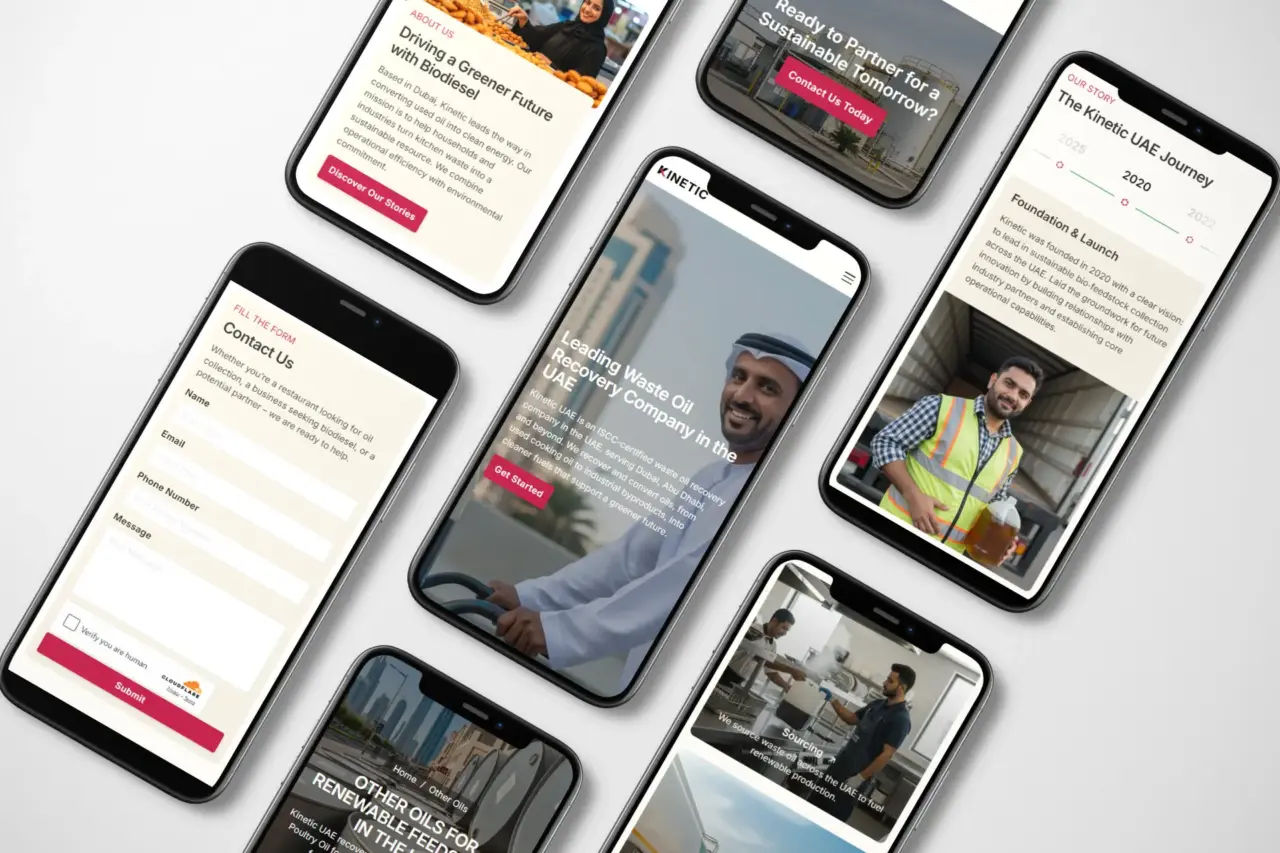
We rebuilt the structure first. Clear service sections, better navigation, and a more direct flow.
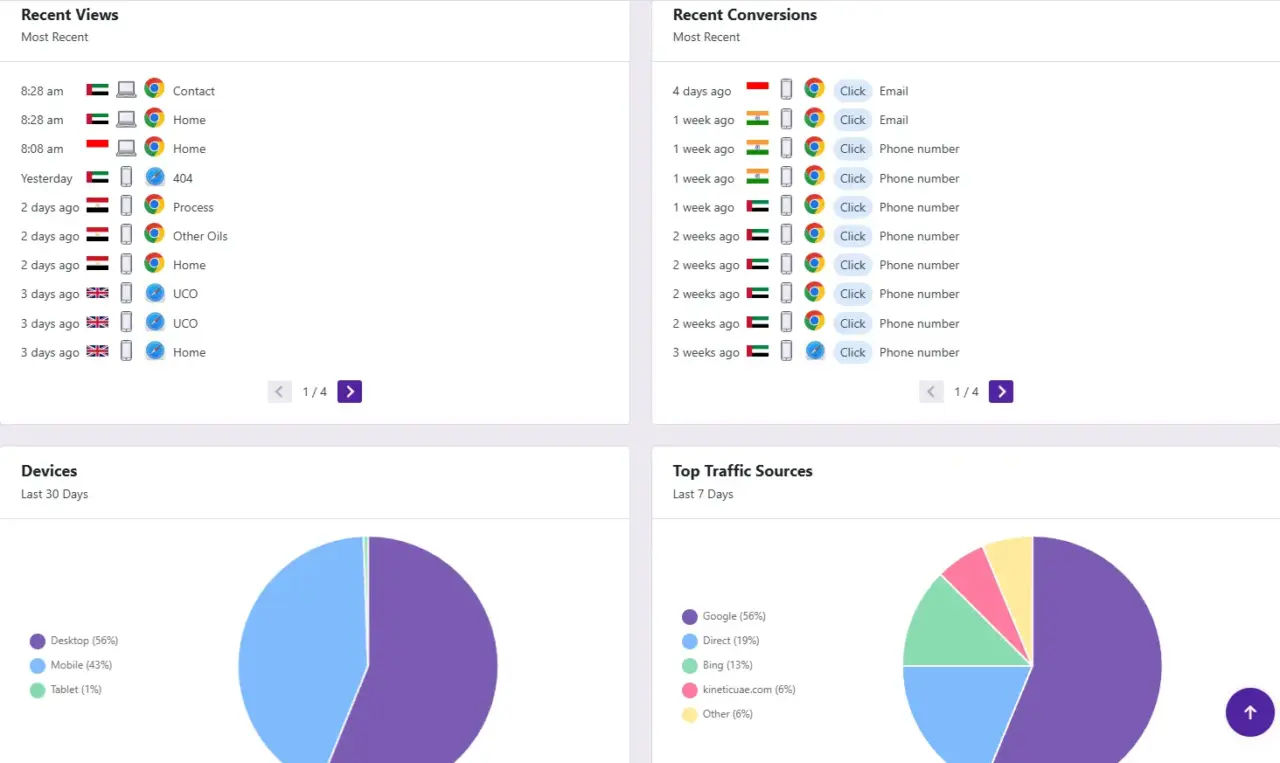
After the redesign, they started getting consistent inquiries through clicks and emails. It also helped attract more relevant visitors, not just more traffic.
Not because the design was flashy, but because it removed friction. That’s usually where the difference comes from.
Simple checklist to identify website conversion mistakes
If you’re not sure what’s holding your website back, start with a quick self-check.
You don’t need advanced tools to spot early issues. Most problems become obvious when you look at your site from a first-time visitor’s perspective.
Use this checklist to identify common friction points:
- Can a new visitor understand what you do within 5 seconds?
- Is your website fast on both desktop and mobile?
- Can users easily find your main service or offer?
- Is there a clear next step on every page?
- Does your website show proof such as real clients or results?
- Is your content easy to read without effort?
If you answered “no” to even two of these, there’s a strong chance your website is losing potential customers before they take action.
For a deeper breakdown, you can go through this website audit checklist where I walk through structure, speed, and design step by step.
Conclusion and next step
Most websites don’t fail because they look bad.
They fail because they introduce small moments of friction. Over time, those moments add up and reduce the number of people who take action.
If your website feels “fine” but isn’t bringing consistent inquiries, the issue is usually hidden in how people experience it.
Start with the basics. Make your message clear, your structure simple, and your next step obvious.
From there, improvements become much easier to see.
Frequently asked questions
The biggest mistake is lack of clarity. If visitors don’t quickly understand what you do and how to take the next step, they won’t engage further.
They create friction. When users feel confused, slow response, or lack of trust, they leave before taking action.
Use tools like heatmaps, session recordings, and page speed insights. These show how users interact with your site.
Yes. Factors like page speed, mobile usability, and user behavior directly impact rankings and visibility.
UX design mistakes are issues that make a website harder to use, such as unclear navigation, poor layout structure, or lack of clear actions. These directly affect how users experience your website and whether they take action.